Introducing Weatherling: Make It Rain on Your Desktop
· Matt Senter
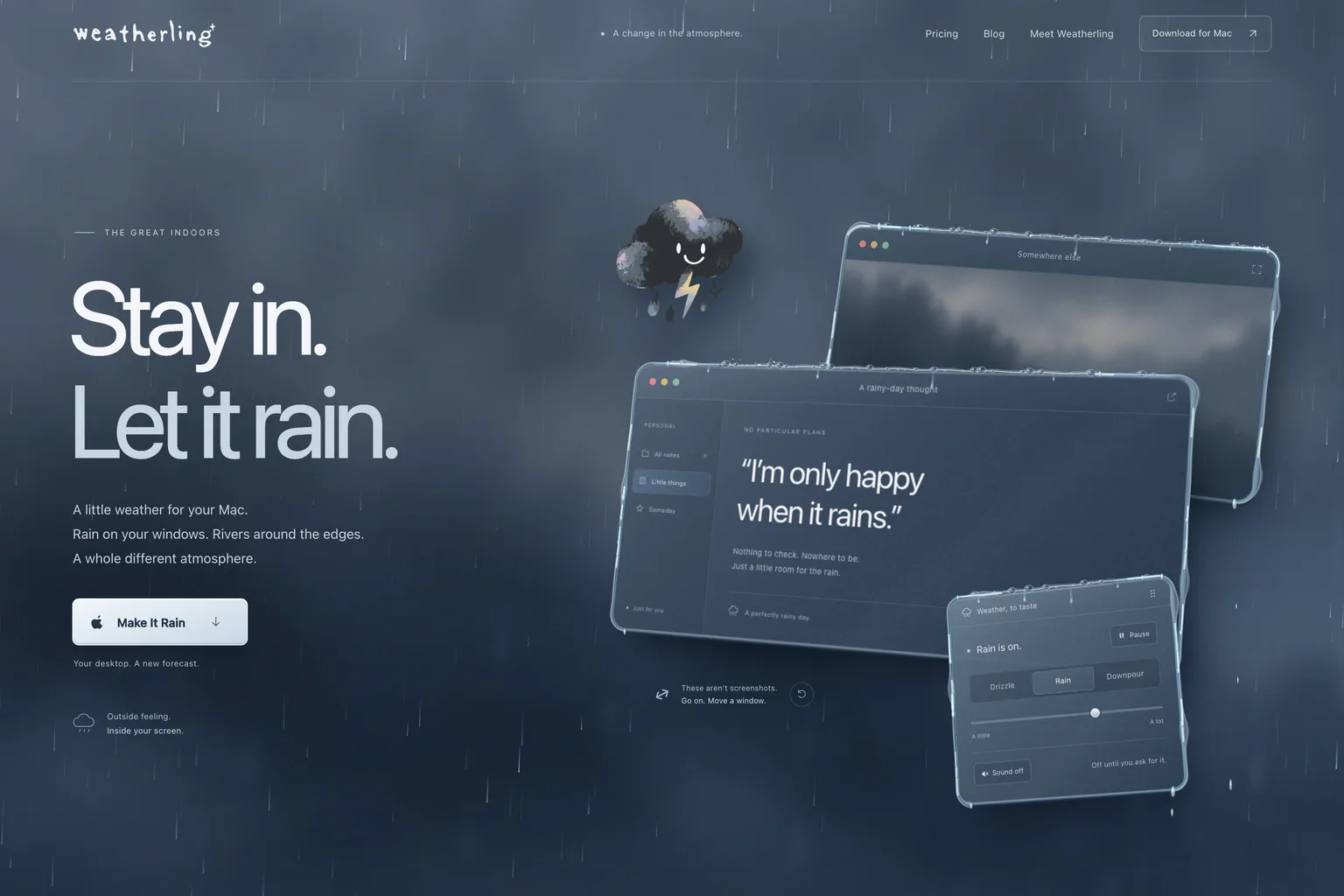
I’m announcing Weatherling today, a small macOS app built around a very simple idea: your desktop should be allowed to have weather.
Not a widget. Not a forecast buried in a menu. Not another panel you have to open, check, dismiss, and forget. Weatherling is ambient weather for your actual desktop. Rain falls behind your windows today. Snow, sunlight, and drifting clouds are on the way. It is meant to make the Mac feel a little more alive without turning it into a toy.
The original idea came from a feeling I kept wanting while working. I wanted the calm of rain without opening a YouTube video, a browser tab, or a fake fireplace app. I wanted something that lived with the desktop instead of competing with it. The Mac is where I spend a lot of my day, and most of that day happens inside flat rectangles. Weatherling is my attempt to make those rectangles feel like they exist in a place.
Weatherling is not trying to be a productivity app in the usual sense. It will not organize your tasks, write your emails, or tell you to drink more water. It is more like desk lighting, background music, or a good mechanical keyboard. It changes the feel of the space you are already in.
Why does Weatherling start with rain?
The first version focuses on rain because rain has the best mood.
The rain is not just a full-screen video slapped over the desktop. The goal is for it to feel spatial. Drops fall behind your windows. They can collect along the top edges, run down the sides, and move around corners. Heavy rain should feel different from a light drizzle. Windows should feel like objects sitting in the weather, not just UI elements floating above an animation.
That detail matters to me because the whole point of Weatherling is the illusion. If the effect feels cheap, it becomes distracting. If it feels right, it disappears into the background and the computer gets a little quieter.
Does Weatherling record your screen?
Privacy also matters here. Weatherling is designed to create the effect without recording your screen. It does not need to watch what you are doing. It does not need to inspect your apps or capture your windows. The weather is generated around window geometry, not by reading the contents of your workspace.
That constraint is part of the product. A lot of modern desktop software asks for invasive permissions because it is easier to build that way. Weatherling should feel magical, but it should not be creepy.
Will it get in the way of your work?
I’m also trying to keep the app lightweight. This is supposed to be something you can leave on while you work, not something that makes your fans spin up because you wanted a rainy afternoon. The visual effects should be beautiful, but they need to respect the fact that your computer is still there to do actual work.
There is a practical side to the app too. Weatherling lives in the menu bar, so you can toggle the weather quickly. The controls should be simple. Pick the mood, adjust the intensity, and get back to what you were doing. I do not want this to become a cockpit full of sliders unless those controls clearly make the experience better.
What comes after rain?
The app will grow from here. Rain is the emotional center, but snow, sunlight, cloudy skies, depth, and seasonal effects are all part of the direction. I want Weatherling to feel like a little weather system for your Mac, not just a particle effect demo.
The design goal is “calm, moody, and a little magical.” I keep coming back to the phrase: make it rain.
That is the whole product in three words.
Who is Weatherling for?
Weatherling is for people who like atmosphere. It is for people who work better when the room feels a certain way. It is for Mac users who miss a little whimsy in software. It is for people who have ever put on rain sounds in the background and thought, “I wish my computer felt like this.”
I’m building Weatherling because I want my Mac to feel less sterile. I want the desktop to have weather, depth, and mood. I want rain to roll around windows like the windows are real things. I want a tiny storm living quietly behind my work.
Weatherling is now live at weatherling.app.
It runs on macOS 14 (Sonoma) or later, costs US$1.99 once on the Mac App Store with no subscription, makes no network requests, and collects no data. The Weatherling project page has the details.
Make it rain.