Weatherling
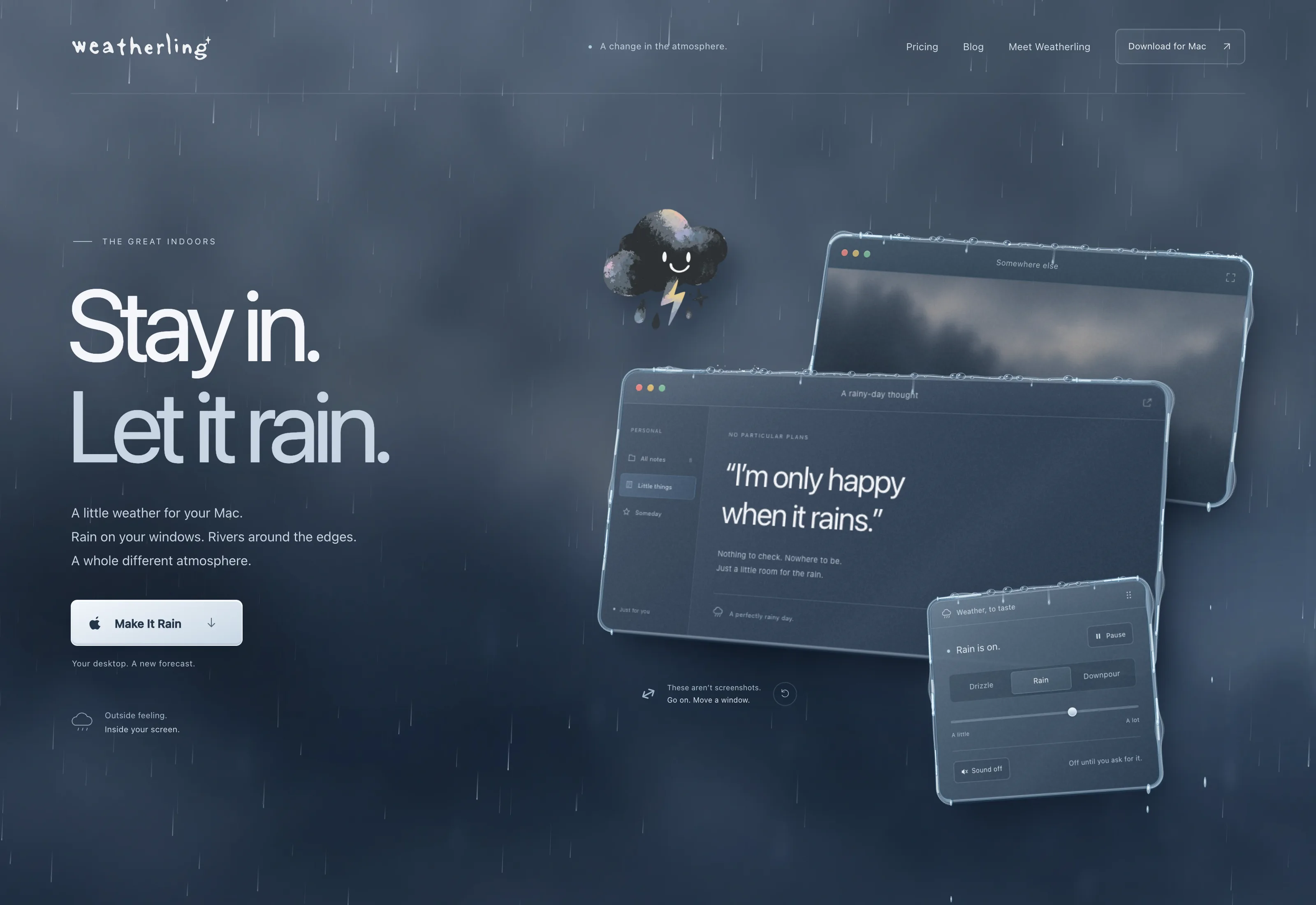
Weatherling adds weather to the windows you already have open: rain, snow, fog, sunlight, autumn leaves, and grass. Raindrops land on the top edge of a window, gather in the corners, and run down the sides. Snow piles up on window tops and melts away. Leaves drift on the wind and settle wherever they land, and grass grows along the tops of windows.
It is a weather effects app, not a weather app. There is no forecast, no temperature, and no radar. You decide whether it rains, snows, or blows leaves around, and how much, or turn on Sync with Your Weather and let the weather outside set the scene.
Video
Pricing
- Weatherling $1.99
The idea
Most desktop weather is a wallpaper or a particle layer pasted over everything. Weatherling is built around depth instead: it knows the front-to-back order of your windows, so a raindrop or a leaf can fall in front of one window and behind another, and whatever lands on a title bar belongs to that window.
Move a window and its rain, snow, and leaves move with it. Bring another window forward and the weather behind it disappears where it should.
How it behaves
The effects are click-through and never take focus, so you keep typing, scrolling, and dragging as if they were not there. Everything is controlled from a small menu bar popover, and Option-clicking the cloud turns the weather on or off instantly.
- Rain, snow, fog, sunlight, autumn leaves, and grass, each with its own control, or Random to shift the mix for you
- Rain from drizzle to downpour, with runoff and waterfalls that scale with it
- Snow that gathers on window tops, tumbles down, and melts away
- Autumn leaves that drift on the wind and scatter when you shake a window
- Grass that grows along window tops, faster in the rain, with blades that bend in the wind
- Optional Sync with Your Weather: the effects follow the real weather for a city you choose or your Mac’s approximate location, and Custom Sync sets how much each element follows it
- Templates that save a whole scene, to switch between or share as a link or file
- Lings™, little visitors who wander your windows; turn on Interactive to collect them, with optional Game Center leaderboards and achievements
- Optional weather sounds, off by default
- Metal rendering with a procedural wet-glass look
No permissions for the effects
The effects never ask for Screen Recording or Accessibility. Weatherling reads only the window positions macOS already shares with every app, never window contents and never window titles. There is no account, no telemetry, and no analytics.
Weatherling goes online only for features you turn on. Sync with Your Weather looks up current conditions with Apple Weather, for a city you type or, if you choose Use My Location, your Mac’s approximate location. macOS asks for location access only then, never at launch. Game Center stays off until you turn it on in Settings.
That constraint shaped the whole design. The wet-glass look is procedural shading, not a capture of the pixels underneath, because capturing them would have required a permission a decorative app has no business asking for.
Requirements and price
Weatherling runs on macOS 14 (Sonoma) or later, on Apple silicon and Intel Macs, and is sold on the Mac App Store for US$1.99, paid once. No subscription, no in-app purchases, and updates are included. Version 1.7, the latest, added templates you can save and share, grass, custom colors, and optional Game Center. Version 1.6 added Sync with Your Weather and fog.