CommandH
macOS has an odd rule: you cannot hide the last visible app. Once every other app is hidden, pressing Cmd+H on the one that is left does nothing. The window stays put and you never get to your desktop.
CommandH is a tiny menu bar app that fixes that. With it running, Cmd+H works the same way every time, including on the last app. It is free and open source.
View on GitHub ↗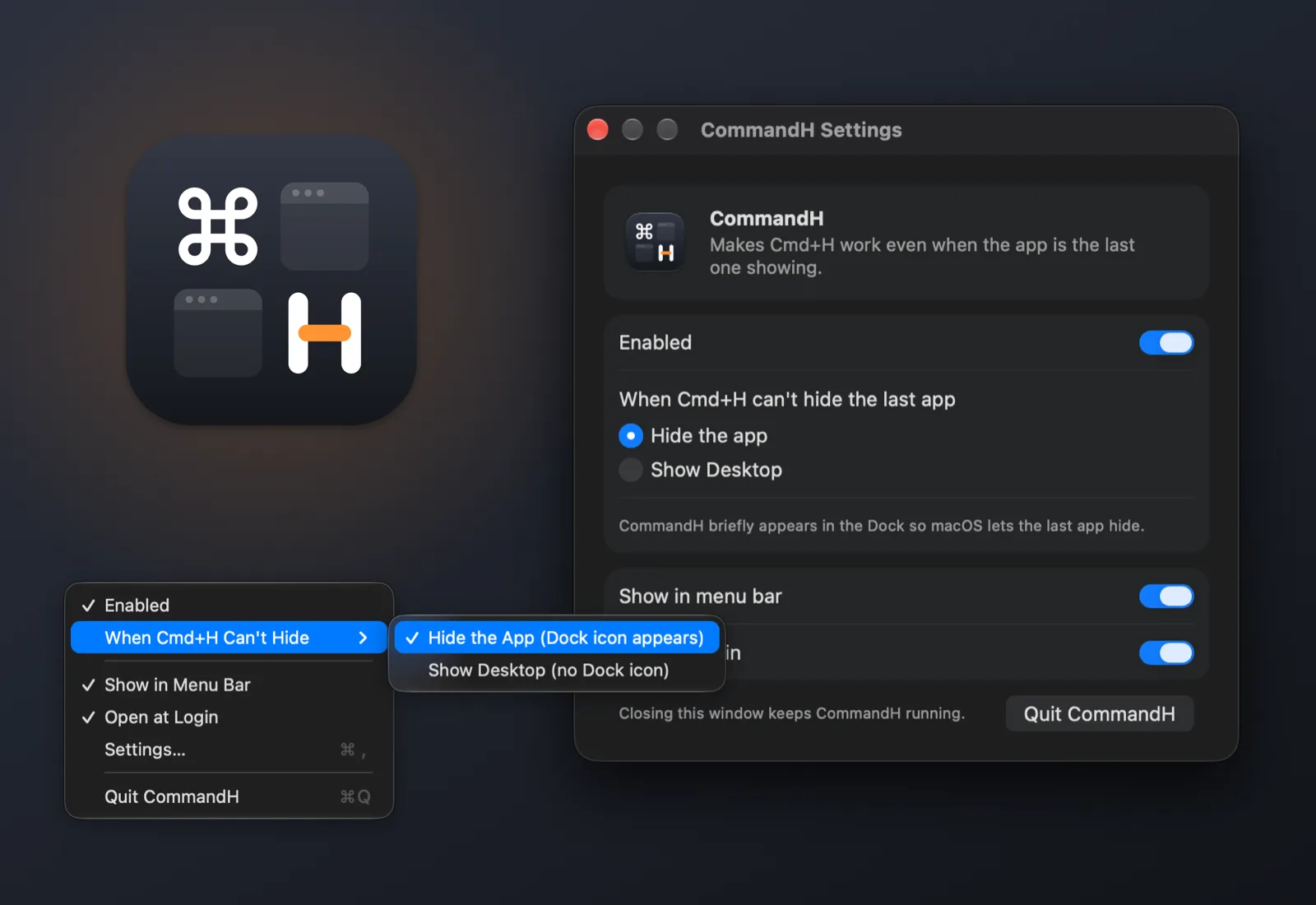
Two ways to handle the last app
When two or more apps are showing, CommandH stays out of the way and Cmd+H behaves exactly as it always has. When only one app is showing, CommandH steps in, using whichever method you pick.
- Hide the app (the default): the last app hides completely, just like Cmd+H anywhere else. CommandH briefly appears in the Dock while it stands in.
- Show Desktop: the windows slide to the edges of the screen and Cmd+H brings them back. CommandH never appears in the Dock.
Why macOS refuses, and the workaround
Before writing CommandH, I tried every way I could find to hide the last app directly: the public API, AppleScript, Accessibility, and two private system calls. Some refused outright. Others reported success and changed nothing. Even when a hide went through, macOS immediately unhid the most recently used app so that something was always on screen.
All of those routes end at the same check, and it only counts regular apps, the kind with a Dock icon. So when one app or none is showing, CommandH turns itself into a regular app with a nearly invisible window. Your last app is no longer the last one, its own Cmd+H works normally, and macOS hands focus to CommandH instead of bringing something else back.
No permissions, no data
CommandH never asks for Accessibility or Screen Recording, makes no network requests, and collects nothing. It never reads your screen or your keystrokes. In Show Desktop mode it claims Cmd+H only while a single app is showing and lets go the moment that changes.
A menu bar app you can make invisible
Settings live in a small window and in the menu bar menu: turn CommandH on or off, pick the method, and choose whether it opens at login. You can remove the menu bar icon entirely and run it invisibly. Opening CommandH from the Applications folder brings the settings back, and a stray Cmd+Q only closes the window, so it never turns itself off by accident.
Requirements and install
CommandH runs on macOS 14 Sonoma or later and is free under the MIT license. For now you install it by building from source with a single script; the README on GitHub walks through it and covers every setting, with screenshots. The whole app is under 500 lines of Swift.